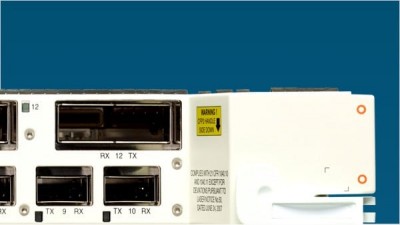
I have a 2620xm router that has some lingering config left in rommon that looks like it was trying to boot from tftp. I can use an unset to get rid of the tftp ip info but I have garbage in the environment variables that I cannot delete ( see below) I also am getting these messages popup on my console that are a bit irritating.
out of room in table, cannot set "RET_2_RCALTS"
out of room in table, cannot set "RANDOM_NUM"
Is there anyway I can re initialize the rommon and blow out this garbage?
HelloI've cloned my Motorola SB4100 (changed Serial and MACs) on SB4200 but...
B
bod43
Have you tried clearing the offending variables?
e.g. "set jEc_*qOF?8[.Ys=3D"
Or maybe "reset jEc_*qOF?8[.Ys"
I forget the exact syntax but you can surely find it on cisco.com.
Looks like it is
"unset jEc_*qOF?8[.Ys"
Obviously do not type the quotes.
Start at the top and work down until all the unwanted variables are gone.
S
swpa
Yes I tried to unset, I was told by the person I bought the router from on ebay that the bootprom is damaged cause I inserted an unrecognized fxo card into the nm-hdv slot.
I forget the exact syntax but you can surely find it on cisco.com.
Looks like it is
"unset jEc_*qOF?8[.Ys"
Obviously do not type the quotes.
Start at the top and work down until all the unwanted variables are gone.
D
Doug McIntyre
Its highly unlikely that is the cause, unrecognized cards in IOS are just ignored for every version of IOS I've ever worked with. I have never seen this behavior with unrecognized cards, and I usually got to test out newer cards, usually with whatever old hardware I had sitting around first, so I frequently had to upgrade old IOS.
More likely (in my experience) is that this router was sitting in ROMMON mode for whatever reason, and serial line noise came along and blasted tons of chars in, and some of them happened to stick as variables (most likely with control characters and other unprintables in their names), because random enough data eventually will produce a variable looking enough thing and an equals sign somewhere in a string.
I'd state that this was pre-existing for you having it if you just bought it.
As I posted, there's not really any way to clear it. At least its mostly just cosmetic, there's not going to be anything set there that will cause things to fail. If things are failing, its for a different reason.
S
swpa
I am being sent another bootrom. I never had to replace one before, and quite frankly only use rommon when an IOS image needs to be xmodem'd up.
All the cards work when I took them out and put them back in my 2650 and
1760 router.
I guess I am going to be replacing a boot rom.
B
bod43
Well if it is some nvram or other that has become corrupted then a new rom won't help at all.
What *exactly* did you type in.
Was it
"unset jEc_*qOF?8[.Ys" - without the quotes?
What was the response?
Is unset in your rommon help?
I forget, do you have to "save" the new variables? Apparently so -
"You must use the sync command to save ROMmon environment variables to nonvolatile RAM (NVRAM)."
formatting link
Can you successfully unset the tftp variables?
Also worth trying jEc_*qOF?8[.Ys=3DA ! well A is better than what you have jEc_*qOF?8[.Ys=3D ! may set it to blank.
One thing going wrong here is that it would help if you said what you were actually doing. Ideally post output recorded from your sesssion. Edited and anotated as required to make it clear what is going on.
People are suggesting stuff and you are not giving good enough feedback to come up with the next step.
Also post the URL of the document(s) that you are using to troubleshoot.
S
swpa
Thanks, that mostly worked with the unset, however this is what is left, I cant seem to find the the right syntax for the unset as it seems that there are pipes, and redirects. I tried to search CCO but cant seem to turn up anything pertinent.
rommon 1 > set PS1=rommon ! >
2Y/tge,/r-KO|A8[~;n85+!=0c/f$}o.PL#1V~~FDcV^qg1[C%|^SlA[B6`:lW]28}k>8su9m/zDs$j)XZEy3.m~WbuI_ )EpwtD8jU]nMICmMot~%>L(?&YF{~}.|{>vDK;!=eG-,vzf$,,nwzOyGQu="l9F
83:/G0~35bTtQyLC]RBv>~^oc`6mAn(CXny@x"UH/s6t$|qW61-,Vui7$GhAvW0S= unset EpwtD8jU]nMICmMot~%>L(?&YF{~}.|{>vDK;!=eG-,vzf$,,nwzOyGQu="l9F Output redirection is not supported at this level rommon 3 > unset
2Y/tge,/r-KO|A8[~;n85+!=0c/f$}o.PL#1V~~FDcV^qg1[C%|^SlA[B6`:lW]28}k>8su9m/zDs$j)XZEy3.m~WbuI_ unset: "2Y/tge,/r-KO" does not exist rommon 4 > unset 2Y/tge,/r-KO|A8[~; unset: "2Y/tge,/r-KO" does not exist rommon 5 > unset 2Y/tge,/r-KO|A8[~ unset: "2Y/tge,/r-KO" does not exist rommon 6 >
I forget the exact syntax but you can surely find it on cisco.com.
Looks like it is
"unset jEc_*qOF?8[.Ys"
Obviously do not type the quotes.
Start at the top and work down until all the unwanted variables are gone.
R
Ronan Flood
Using control-V before each unusual character might work: it "escapes" the next character.
S
swpa
I am not sure what the unusual characters or separators are? I think they are the | > ! $ Unlike the other garbage I was able to unset, I can't seem to find the where the syntax changes to an operator.
Here is what is remaining
C = 0xfff0ac3c, Vector = 0x500, SP = 0x80004884
monitor: command "boot" aborted due to user interrupt rommon 1 > set PS1=rommon ! >
2Y/tge,/r-KO|A8[~;n85+!=0c/f$}o.PL#1V~~FDcV^qg1[C%|^SlA[B6`:lW]28}k>8su9m/zDs$j)XZEy3.m~WbuI_ )EpwtD8jU]nMICmMot~%>L(?&YF{~}.|{>vDK;!=eG-,vzf$,,nwzOyGQu="l9F
83:/G0~35bTtQyLC]RBv>~^oc`6mAn(CXny@x"UH/s6t$|qW61-,Vui7$GhAvW0S= set 2Y/tge,/r-KO|A8[~;n85+!=0 usage: set rommon 21 > set 2Y/tge=0 usage: set rommon 22 > set PS1=rommon ! >
2Y/tge,/r-KO|A8[~;n85+!=0c/f$}o.PL#1V~~FDcV^qg1[C%|^SlA[B6`:lW]28}k>8su9m/zDs$j)XZEy3.m~WbuI_ )EpwtD8jU]nMICmMot~%>L(?&YF{~}.|{>vDK;!=eG-,vzf$,,nwzOyGQu="l9F
83:/G0~35bTtQyLC]RBv>~^oc`6mAn(CXny@x"UH/s6t$|qW61-,Vui7$GhAvW0S= unset 2Y/tge,/r-KO|A8[~ unset: "2Y/tge,/r-KO" does not exist rommon 24 > " not found rommon 25 > mand " rommon 25 > unset n85+! rommon 26 > set PS1=rommon ! >
2Y/tge,/r-KO|A8[~;n85+!=0c/f$}o.PL#1V~~FDcV^qg1[C%|^SlA[B6`:lW]28}k>8su9m/zDs$j)XZEy3.m~WbuI_ )EpwtD8jU]nMICmMot~%>L(?&YF{~}.|{>vDK;!=eG-,vzf$,,nwzOyGQu="l9F
83:/G0~35bTtQyLC]RBv>~^oc`6mAn(CXny@x"UH/s6t$|qW61-,Vui7$GhAvW0S= unset ? rommon 28 > set PS1=rommon ! >
2Y/tge,/r-KO|A8[~;n85+!=0c/f$}o.PL#1V~~FDcV^qg1[C%|^SlA[B6`:lW]28}k>8su9m/zDs$j)XZEy3.m~WbuI_ )EpwtD8jU]nMICmMot~%>L(?&YF{~}.|{>vDK;!=eG-,vzf$,,nwzOyGQu="l9F
83:/G0~35bTtQyLC]RBv>~^oc`6mAn(CXny@x"UH/s6t$|qW61-,Vui7$GhAvW0S= unset usage: unset name1 [name2 ...] rommon 30 > unset nwzOyGQu unset: "nwzOyGQu" does not exist rommon 31 > repeat unset nwzOyGQu unset: "nwzOyGQu" does not exist rommon 32 > unset nwzOyGQu= unset: "nwzOyGQu=" does not exist rommon 33 >
B
bod43
control-V is I think the escape character for config mode in IOS.
You could also try putting the whole string in quotes, try single and double.
Unix uses the backslash as the escape character.
for xyz|abc
try xyz\\|abc or xyz^V|abc where ^V is press and hold ctrl press and release the V key release ctrl key or "xyz|abc" or 'xyz|abc'
Since the prompt is >, I doubt it is a special character. Easy to test?
In unix $ is used to indicate variables in commands. i.e. - roughly -- I forget the details exactly now. set abc fred echo $abc is how the $ might be used.
Is the box working now that some of the garbage is gone?
I do appreciate the help and assistance. Thank you.
Yes, the 2620xm always worked just I got the "out of room in table" and other errors scrolling up on the console constantly that is a bit irritating while working with the router. I was able to remove most of that and just left with these garbage variables in the buffer.
As for ctrl V, when I do that it just seems to escape on the line I am typing and CR to another prompt without doing anything.
I could live with the router like this, but if I put this back on Ebay for sale then someone is going to come back to me about garbage in the rommon. The person I bought it from basically blew me off and not real helpful. I was able to get some of this sorted out with help from here and my own trial and error. If I can't resolve this I will probable just scrap the router when I am done with it.
I tried top put some quotes around some of the string but says it is not found. Up to which part in the string is considered the whole variable is what I can't figure out. I tried doing character by character but for the most part get not found or redirect not support at this level.
If I can figure out how to manipulate the characters and use the right syntax in the string it should probably go away.
/ | ; ! $ ,
Again thanks.
control-V is I think the escape character for config mode in IOS.
You could also try putting the whole string in quotes, try single and double.
Unix uses the backslash as the escape character.
for xyz|abc
try xyz\\|abc or xyz^V|abc where ^V is press and hold ctrl press and release the V key release ctrl key or "xyz|abc" or 'xyz|abc'
Since the prompt is >, I doubt it is a special character. Easy to test?
In unix $ is used to indicate variables in commands. i.e. - roughly -- I forget the details exactly now. set abc fred echo $abc is how the $ might be used.
Is the box working now that some of the garbage is gone?
S
swpa
Thank you I will try this later when I can get some quality playtime in the lab. I was doing an actual Ctrl. Sorry I am not much of a Linux/Application type I work mostly with Windows and have little Unix or scripting type abilities.
I will be sure to let you know what happens.
I deeply appreciate the help. Of all the lab routers and switches I got from Ebay this was really the only problem child and seller I came across.
Yes, that's what I meant: in my example ^V means control-V. I only suggest this as I know it is recognised in IOS, so I assume it would work in rommon too but it might not ...
S
swpa
B
bod43
Looks to me as if there are undocumented special characters.
If it is working and you don't have smartnet I would suggest giving in.
Perhaps a special appeal to Aaron Leonard might work?
Join the Discussion
Have something to add? Share your thoughts — no account required.
Didn't find your answer?
Ask the community — no account required
Report Content
You are reporting this content to the moderators. They will look at it
ASAP.