3550 GB1000-T to 3560 1000BaseTX SFP

Mar 05, 2006 18 Replies
3550 GB1000-T to 3560 1000BaseTX SFP open original image

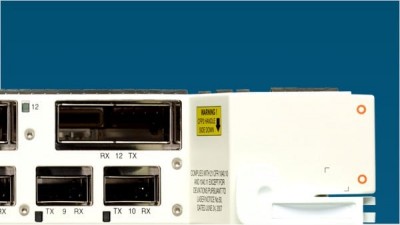
I can't believe it, no link light... The ios on both switches recognize the hardware. (3550 has a ws-5483 (1000base-t) plugged into a 3560 sfp port using a 1000BaseTX SFP (GLC-T) via a cat5e cable.)


No link light. IOS versions are stated as compatible.


3550: (C3550-I9Q3L2-M), Version 12.1(22)EA4
3560: (C3560-IPBASE-M), Version 12.2(25)SEB4

Swapped cables, tried hard coding speed and duplex too.


Any body had an issue like this before? Am I missing something easy? I can't need a converter as they are both 1000 base-T..right?


Any help here is appreciated!


snipped-for-privacy@gmail.com


Not to ask the obvious but it never hurts. You are using a cross-over, aren't you?

J

"J" skrev i en meddelelse news: snipped-for-privacy@i39g2000cwa.googlegroups.com...

It should not be necessary to use a cross over cable. Both the 3550 and the

3560 has MDIX auto recognition. But both sides must be set to auto on both speed and duplex?

But might be a wothwhile from a troulbeshooting perspective ....

For both switches, post the output of

  1. show version

  1. show interface ! for back-to-back switch connection interface

  2. show run interface

  1. show controllers ethernet-controller phy

This is GBIC to an SFP module. Do they do MDIX?

If one of them does MDIX then you will be OK with a straight thru but I would _guess_ that you need a crossover cable. Recall that

1000Tx needs all 4 pairs.

formatting link
Auto-MDIX is not supported on SFP module interfaces (Yes it's a different switch model, if you want better do your own research:-)

formatting link
GBIC supports automatic medium-dependent interface crossover (Auto-MDIX). The GBIC automatically detects the required cable connection type (straight through or crossover) and configures the connection appropriately.

Oh well, guessed wrong. Make sure "mdix auto" is not disabled.

formatting link
"Auto-MDIX is disabled by default. When you enable Auto-MDIX, you must also set the speed and duplex on the interface to auto in order for the feature to operate correctly. Auto-MDIX is supported on all 10/100 and 10/100/1000 Mbps interfaces and on 10/100/1000 BASE-T/TX SFP interfaces."

This is GBIC to an SFP module. Do they do MDIX?

If one of them does MDIX then you will be OK with a straight thru but I would _guess_ that you need a crossover cable. Recall that

1000Tx needs all 4 pairs.

formatting link
Auto-MDIX is not supported on SFP module interfaces (Yes it's a different switch model, if you want better do your own research:-)

formatting link
GBIC supports automatic medium-dependent interface crossover (Auto-MDIX). The GBIC automatically detects the required cable connection type (straight through or crossover) and configures the connection appropriately.

Oh well, guessed wrong. Make sure "mdix auto" is not disabled.

formatting link
"Auto-MDIX is disabled by default. When you enable Auto-MDIX, you must also set the speed and duplex on the interface to auto in order for the feature to operate correctly. Auto-MDIX is supported on all 10/100 and 10/100/1000 Mbps interfaces and on 10/100/1000 BASE-T/TX SFP interfaces."

The gigabit standards *require* auto-mdix, at least for 1000BaseTX. It's one of the improvements of gigabit: that you never need a cross-over.

Be aware of "The Auto-MDIX feature is enabled by default on switches running Cisco IOS Release 12.2(18)SE or later. For releases between Cisco IOS Release 12.1(14)EA1 and 12.2(18)SE, the Auto-MDIX feature is disabled by default."

The GLC-T is supposed to support 1/0100/1000.

Will it connect to 1 Fast Ethernet port on the opposite switch?

tried bioth it is AUTO MDIX which means you can not screw that up.

I tried manually setting them and left both on AUTO, AUTO as well.... Good idea.

MDIX is auto on the SFP side for sure which is all that you need. I have solved the issue and its really interesting..

EVEN though the software recognized the hardware, the GBIC on the 3550 side. EVEN thought the software would let me force the GBIC in question to certain settings.. EVEN though I plugged and unplugged serveral times. EVEN though it "Clicked" each time I plugged it in to the 3550. : there was an issue with LAYER1. even though all of the things below led me to believe that it was physically connected properly, the GBIC snapped in place and was recognized and everything, it had about 1cm total side to side movement and when I pushed fairly hard to one side the light came up and it was humming!

So I have to implement this same thing; GBIC in 3 other 3550's switches this week and I will let all people know if it is a design flaw in the Module or not. (Becaise the the previous Fiber GBIC) was a tight fit.

Thanks for everyoneds help! Have a great week!

It was enabled by default on the 3560 SFP modules.

I did not try that although it would have been a great option if I had not got it working.

Did you buy the GBIC from Cisco ?

Who is the actuial manufacturer ?

it has a cisco sticker on it but I looked it up and here it is:

formatting link
a: Cisco 1000Base-T GBIC..WS-G5483=

Do you have a Cisco Smartnet support contract ?

If so I would open a Cisco TAC case and report the difficulty you have encountered that GBIC.

Join the Discussion

Have something to add? Share your thoughts — no account required.

Didn't find your answer?

Ask the community — no account required