I'm thinking about buying a D-Link DI-624 Airplus Extreme G router. Initially, I will rarely need the wireless services myself (My PC will be hardwired to the router) but occasionally i need to turn on access for guests. Is there a way to do this? I know I can restrict access, but I'm wondering if there's a way to completly shut down the 2.4ghz signal. I looked in the manual, but they don't seem to cover this option (for obvious reasons I'm sure).
Thanks,
Spimby
Didn't find your answer? Ask the community — no account required.
I assume you tried a grand reset. Also try holding the reset buttondown while...
B
BigJIm
B
BigJIm
get into the router setup and under wireless turn the radio button to off.
J
Jeff Liebermann
Well, removing the antennas will reduce the range.
Argh. Too late. You read the manual. This is bad. You should never read the manual except as a last resort and only after calling support, asking everyone you know, posting questions to mailing lists, and praying for divine inspiration. Reading the manual is recognized as a sign of weakness and an admission that you're lost. If you must read the manual, be sure that nobody sees you doing it, and NEVER publicly admit that you've done so.
Dlink has online emulators of most of their products. You can check your feature set by digging through the various menus:
formatting link
The DI-624 starts at:
formatting link
page:
formatting link
wireless on/off button is at the top of the page.
T
tzar
J
Jorabi
Easiest way would be to put a low-cost Ethernet switch like the D-link DSS-5+ in front of the router and connect your PC to it. Plug the wireless router's power into a switched AC outlet and shut it off until guests arrive.
There are more elegant solutions that others will bring up, but this is an easy way to manage it.
D
dold
Buy a different router. That D-Link doesn't seem to have an option to turn off the Wireless. Linksys models do. My Netgear does.
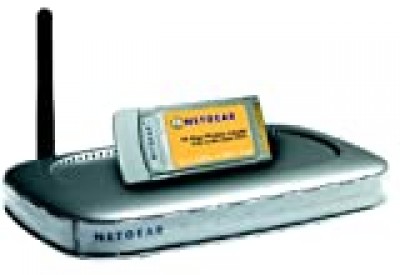
Netgear WGB511 802.11g Wireless Networking Kit $84.99 - $35 = 49.99 WGR614v4 Router and WG511 PCMCIA card that I have.
formatting link
>
C
Colin
"Spimby" wrote in news: snipped-for-privacy@g14g2000cwa.googlegroups.com:
In the router menu go to Wireless and turn the radio button to off. Be sure you are getting revision C of the router (one antenna), it is better than previus revisions.
Colin
D
DLink Guru
A
Ashley Pride
Please research how to post correctly.
Ash.
D
DLink Guru
Please research that there is no LAW to posting. I post how I want, not the way you think I should post.
Robert....
J
James B
Do not buy this router!
There are a ton of post on both Usenet and the Web on how this router has serious problems with mainting signals if you turn on any form of encryption. I just spent two days with tech support going over this and having them tell me it must be my settings only to find post after post saying the same thing about dropped wireless clients.
Basically the router works great in factory default. Enable anything, WEP, WPA, WPA-PSK or even MAC filtering and connect more than two wireless clients and your going to get drops. Call TS and they will tell you update the firmware, reset the device, etc, etc when they themselves have to know by now with the number of people having these problems that there is a problem and it's not the users.
As far as the router goes you can turn off the wireless radio, turn off the SSID broadcast and maybe fix the dropped clients isuue. There is an unreleased firmware out there which may help but do you really want to spend a couple of hrs setting up and fixing a router which should work with a couple of clicks? Linksys is no better. Their firmware and support sucks however as was posted here you can go get "fixed" firmware from a number of sources which does work but if you have to call Linksys you'll get no support and personally I have a real problem paying them $70 and then dumping the software that makes it work for something written by basement geeks (no insult intended, I appreaciate the work!)
D
dold
Research? Like looking in the pdf user's guide downloaded from the DLink web site? There's no radio on/off button in the manual.
The OP said he couldn't find it in the manual. I suspect it was added in some firmware update. The emulator page that Jeff cites looks just like the one in the manual, except for the addition of the Wireless Radio on/off button.
A
Ashley Pride
Theres no LAW on how the NNTP protocol should work either - whats your point? When you stop using OE6 and top posting then maybe you have a right to be a condescending prick - until then STFU.
Ash.
B
BigJIm
wow I better smack mine with a hammer so I can be where you are at, but seriously I have no such problems.
D
DLink Guru
I have a right to be a condescending prick no matter what newsreader I use. And OE6 does not make me top post. I do it because thats what I want. So, STFU right back at you.
Robert.....
M
midjet
MY GOD
the di-624 does not need a diploma , i never use wireless router before , and i get 2 week ago the di-624 and have no problem including in the encrytion.
M
midjet
Yes the Button off/on exist for the Wireless di-624
D
dold
We aren't talking about encryption. That button is there on all versions. The ability to turn off the radio isn't in the manual, but is on the emulation page that Jeff pointed to.
Does your two week old DI-624 have a "wireless radio on/off" button above the encryption key area, and "encryption on/off" button below the key area?
M
midjet
Yes the Button off/on exist for the Wireless di-624
Join the Discussion
Have something to add? Share your thoughts — no account required.
Didn't find your answer?
Ask the community — no account required
Report Content
You are reporting this content to the moderators. They will look at it
ASAP.