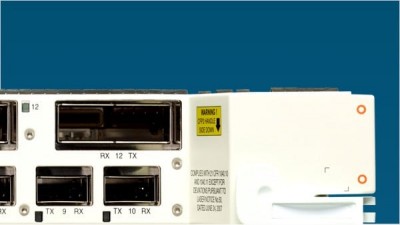
Hi all, i have a problem upgrading a client's 1100 AP. I did it the usual way (archive........) like i did it many times before. This time the newly downloaded IOS (TAR) did not want to extract, so I tftp'd it in to its flash. Stupid me, I forgot to xtract, and I reloaded. Of course the 1100 did not boot, so I followed the TAC advise of renaming the TAR to ....default and press the MODE button, so that the 1100 would get the TAR from TFTP. The logview showed OK. The 1100 took the TAR, but no reload from the 1100. I tried it over and over, and now I seem to have a dead 1100, beacuse of the TAR I placed in its flash :-( What to do ? Anybody has an advice ? Any help would be warmly appreciated ! thanks! Casey
aironet 1100 ios upgrade troubles
Apr 09, 2007
1 Replies
~ Hi all, i have a problem upgrading a client's 1100 AP. I did it ~ the usual way (archive........) like i did it many times before. ~ This time the newly downloaded IOS (TAR) did not want to ~ extract, so I tftp'd it in to its flash. Stupid me, I forgot to ~ xtract, and I reloaded. Of course the 1100 did not boot, so I ~ followed the TAC advise of renaming the TAR to ....default ~ and press the MODE button, so that the 1100 would get the ~ TAR from TFTP. The logview showed OK. The 1100 took ~ the TAR, but no reload from the 1100. I tried it over and ~ over, and now I seem to have a dead 1100, beacuse of the ~ TAR I placed in its flash :-( What to do ? Anybody has an ~ advice ? ~ Any help would be warmly appreciated ! ~ thanks! Casey
Sounds like your tarfile is bad. Get a known good tarfile (you might want to verify that the size in bytes of the file on your TFTP server matches what IOS software center says the file should be), then name it c1100-k9w7-tar.default, then run the full image recovery procedure.
formatting link
Aaron
Join the Discussion
Have something to add? Share your thoughts — no account required.
Didn't find your answer?
Ask the community — no account required