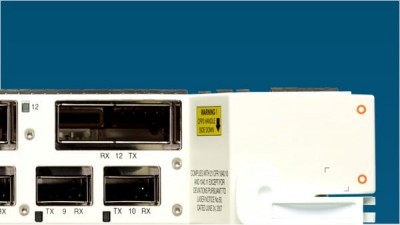
I recently bought one of these on eBay (with an A radio), all worked fine, confugred etc, nothing to complicated, basic encryption etc.
Anyways, 6 weeks down the line, it's stopped working(not sure if the wirelss link is still working, i no longer have a client), it no longer accepts the user name and pasword when connecting to it via HTTP to configure it( i am not miss typing it )
Not a big deal, i'll reset it.......... it is a huge deal!! None of the documents on cisco work??? So I am stuck with abit of hardware worth £600 that isn't working!
Can anyone help, I am fiarly new to cisco, I have a working Cisco PIX
501 running my internet, so that should tell you what level I am at!
Anyways, with the console pluged in, this is what appears when i reboot (remove power, attatch power)
Testing DRAM... (press to bypass) DRAM OK Power-on reset.
Copyright 1996-2000 Cisco Systems, Inc. Copyright 1984-2000 Wind River Systems, Inc.
System ID: 000FF7500A58 Motherboard: IBM405 200MHz, 8192KB FLASH, 16384KB DRAM, Revision 05 Bootstrap Ver. 1.00: FLASH, CRC 1C914641 (OK) Initialization: OK
Memory Bank total used left DRAM 16742624 0 16742624 Config 524288 444 523844 FLASH 7602176 1478172 6124004
Memory Bank:File address size encoding type flags a) Config:AP Installation Key FF820000 80 none Key
0000 b) Config:AWC_ConfigDB FF820050 364 AiroDB1 Data
0000 c) FLASH :EnterpriseAP Sys 12.01A FF8A0000 1213908 gzip Exec
0901 d) FLASH :EnterpriseAP Web 12.01 FF9C85D4 147060 .tar.gz Web
0000 e) FLASH :Inflate Ver. c14o FF9EC448 7496 gzip Dcdr
0900 f) FLASH :350 Series FW 5.02.12 FF9EE190 54388 .tar.gz Data
0000 g) FLASH :AIR-CB20A FW 5.02.12 FF9FB604 55240 .tar.gz Data
0000 h) FLASH :AP Installation Key FFA08DCC 80 none Key
0000
Inflating "EnterpriseAP Sys 12.01A"...
3326684 bytes OK
AwcVlanCfgEntry_t::UpdateReferences(4095): entered : allowEn=0 allowUnen=1 AwcVlanCfgEntry_t::UpdateReferences(4095): exit : allowEn=1 allowUnen=1 AwcVlanCfgEntry_t::UpdateReferences(4095): entered : allowEn=1 allowUnen=1 AwcVlanCfgEntry_t::UpdateReferences(4095): exit : allowEn=1 allowUnen=1 AwcVlanCfgEntry_t::UpdateReferences(4095): entered : allowEn=1 allowUnen=1 AwcVlanCfgEntry_t::UpdateReferences(4095): exit : allowEn=1 allowUnen=1 AwcVlanCfgEntry_t::UpdateReferences(4095): entered : allowEn=1 allowUnen=1 AwcVlanCfgEntry_t::UpdateReferences(4095): exit : allowEn=1 allowUnen=1 Loaded driver for device "emac0", ifIndex=1. Slot 1: Empty
** Failed to Load Driver for device entry #2 (errno=0x006d0001). Slot 2: AIR-CB20A Radio found Loaded driver for device "awc1", ifIndex=4. Configured device "emac0" as IP address "192.168.5.22", network mask
0xffffff00. Attaching network interface lo0... done. Configured device "lo0" as IP address "127.0.0.1", network mask
0x00000000.
Adding 2 symbols for standalone.
00:00:36 (Warning): Backbone Connectivity Lost. Switching to repeater to re-establish link to primary network.
00:00:49 (Warning): Lost Authentication with Parent
00:00:49 (Warning): Lost Authentication with Parent
00:00:49 (Warning): Lost Authentication with Parent Please enter username: (0)
00:00:49 (Warning): Lost Authentication with Parent
Any help would be appreciated